
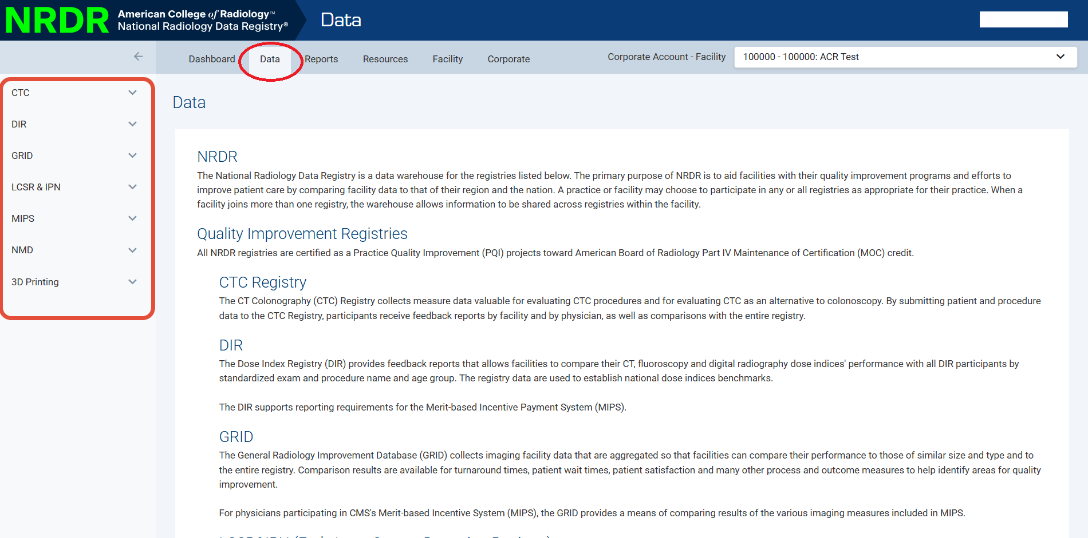
Go to the Data tab in the top navigation menu. Click on the registry in the left menu that's related to the patient's exam.
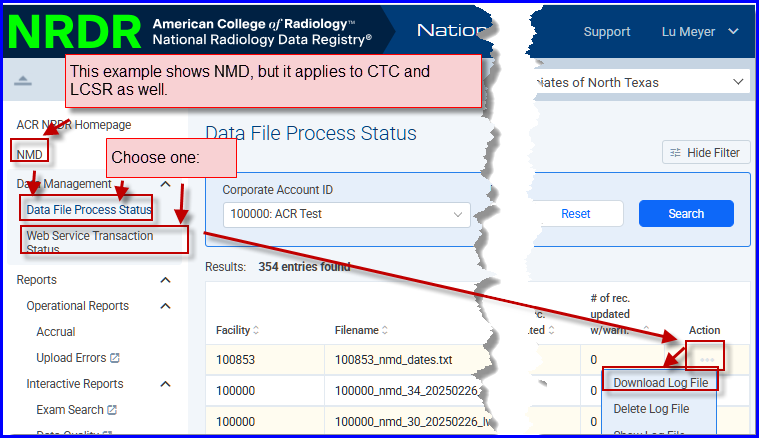
Choose the method that your data is submitted to the NRDR (e.g. manual data upload, data file process, web service transaction)
Find the patient record on your list by searching or using the filter option. Go to the far right Action column and click on the three dots > Download Log File.
Patient Identifier Requirements
The CTC, LCSR, and NMD registries use four possible patient identifier fields:
- Social Security Number
- Old Medicare Beneficiary ID (used before April 2018)
- New Medicare Beneficiary ID (used after April 2018)
- “Other” ID (a facility‑assigned identifier, often the MRN)
At least one of these identifiers is required.
If you provide more than one, all identifiers for the same patient must match every time you submit data.
If they don’t match what you previously submitted, you’ll see an error in your log file like this when you hover over the problem field. You may need to click the "Enable Edit" button at the top of the page:
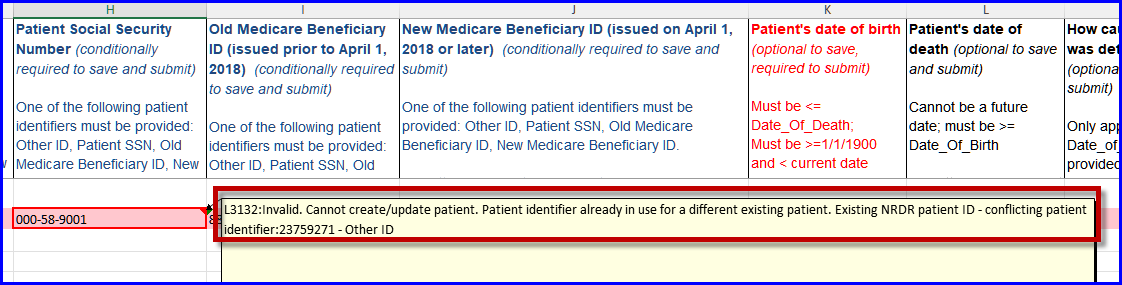
The system may attach the error to any of the four identifier fields.
Why This Error Happens
The error means that the identifiers in your current file do not match the identifiers already stored in NRDR for that patient.
To investigate, look up the patient using the NRDR Patient ID shown in the error message. For example, if the NRDR Patient ID is 23759271 as in the illustration, you can look it up using the Manage Patients link.
You may find:
- Some identifiers match the information in your file
- At least one identifier does not match
Example
In this example, you are trying to add a record for Snow White with an “Other ID” of 666B.
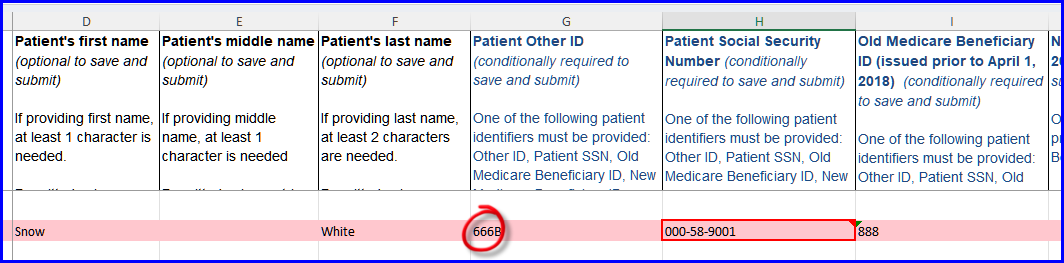
However, when checking Manage Patients, you see that “Other ID” 666B is already assigned to Teddy Bear.
Because the same identifier is now associated with two different patients, the system rejects the upload.

How to Fix the Error
The correct fix depends on whether the two records refer to the same patient or different patients.
If both records are for the same patient:
You have two options:
- Update the patient record under Manage Patients to match the identifiers in your upload file, or
- Update the upload file to match what is already in Manage Patients.
If the records are for different patients:
You can resolve the conflict by:
- Changing the conflicting identifier (“Other ID” in this example) on one of the records
or - Deleting the conflicting identifier from one of the records
Once the identifiers no longer conflict, the upload should process successfully.